

The AI coding assistant market has a dirty secret: you don't need to pay for most of what you're actually using. Every major player now has a free tier. Several high-quality tools are open source and entirely free to run. And the gap between the free options and the paid $20/month subscriptions is smaller than the marketing suggests — at least for developers who understand where the limits actually matter.
The honest caveat is that "free" rarely means unlimited. Proprietary tools give you limited free usage. Open-source tools give you unlimited usage but shift the cost to LLM API calls. Neither path is truly $0 for serious development — but you can get remarkably close.
This is a ranked breakdown of the best free AI coding tools in 2026 — what you actually get for $0, where the walls are, and which tool fits your specific workflow.
GitHub Copilot Free: The Best Zero-Friction Starting Point
For most developers encountering AI coding assistance for the first time, GitHub Copilot Free is the right first stop. It requires no credit card, works in VS Code, JetBrains, Neovim, and Visual Studio, and puts you inside the most widely adopted AI coding ecosystem in the world.
Per the official Copilot Free tier details, the free plan includes 2,000 code completions and 50 chat requests per month. The completions are the autocomplete suggestions you see while typing — the bread-and-butter feature. The chat requests cover Copilot Chat interactions and multi-file edits.
2,000 code completions per month covers light coding — maybe 1-2 hours of active development per day. 50 premium requests per month is about 2-3 Chat interactions per day. The free tier includes access to Claude Sonnet 4.6 and GPT-4.1 in Chat. That's real capability at no cost. The limitation that bites first is the 50 chat/edits requests — if you're the type of developer who asks the AI questions every 10 minutes, you'll exhaust the monthly quota in a single focused afternoon.
The strongest argument for Copilot Free isn't the raw limits — it's the GitHub-native workflow. No other free tool lets you get AI-assisted PR descriptions, automatic code review via @copilot in pull requests, and inline coding assistance across all major IDEs from a single account. For developers already living in GitHub, this integration density is hard to replicate.
One important note: verified students can access unlimited completions and additional models at no cost through GitHub Copilot Student. If you have a .edu email, that is unambiguously the best free tier in the entire market. Go claim it before evaluating anything else.

Gemini Code Assist: The Most Generous Proprietary Free Tier
If Copilot Free's limits feel constraining, Gemini Code Assist deserves serious attention. Google has aggressively priced Gemini Code Assist as free for individual developers with high monthly limits, to encourage adoption, and offers enterprise tiers with admin controls. One distinguishing feature is that it can provide citations for the code it suggests — useful for developers who want to verify the origin of a suggestion before shipping it to production.
Gemini Code Assist integrates with VS Code and JetBrains, supports Google Cloud's tools (Cloud Shell, Cloud Workstations), and uses Gemini models optimized for code. For developers building on Google Cloud, Firebase, or Android, the contextual advantage is real — the model has been trained with Google's own ecosystem in mind, which shows in the quality of suggestions for GCP services, Cloud Functions, and Firestore patterns.
The practical limitation is that it's a plugin, not an agentic IDE. You get completions, chat, and code generation — the same surface area as Copilot Free, but with a more generous usage ceiling. If your workflow is primarily write-and-complete rather than delegate-and-review, Gemini Code Assist is arguably the most capable free inline assistant available.
Amazon Q Developer: Free for AWS Shops
Amazon Q Developer (formerly CodeWhisperer) offers a free individual tier with deep AWS integration and no credit card required. For developers building on Lambda, DynamoDB, CloudFormation, ECS, or other AWS services, the contextual coding suggestions are noticeably better than general-purpose models for AWS-specific patterns.
The free individual tier is available without signup complexity and covers code completions and basic chat. The AWS-specific training means it understands service quotas, IAM permission patterns, and SDK idioms in ways that generic models don't. If you're building serverless functions or cloud-native infrastructure, this is the tool that will suggest the correct IAM role structure rather than a plausible-looking one that fails at runtime.
The trade-off is obvious: if you're not in the AWS ecosystem, the AWS-specific knowledge advantage disappears and you're left with a general-purpose tool that has lower quality suggestions than Copilot or Gemini for non-AWS work.
Cline: The Power Move for BYOK Developers
For developers who want no usage limits and are willing to manage their own API keys, Cline is the standout option in 2026. Cline is a fully open-source VS Code extension designed to be model-agnostic, with a simple philosophy: provide a powerful, free AI coding tool for individual developers and allow them to pay only for the AI inference they use — either by bringing their own API keys or using Cline's provider at cost.
The Cline approach changes the economics entirely. Instead of paying a tool subscription, you pay directly for the LLM inference you consume. At typical usage volumes, developers report spending $5–$30/month in API costs — often less than a flat subscription, and with full model flexibility: Claude Sonnet, GPT-4o, Gemini, or a local Llama model through Ollama.
The practical capability is substantial. Cline reads your entire project, searches within files, performs terminal commands, and can operate in dual Plan/Act modes — first devising a sequence of steps, then executing them one by one. This is agentic, multi-file editing at the level of paid tools like Cursor, without the subscription overhead.
The catch: setup requires more intent than installing a plugin. You need API keys, an understanding of how token costs accumulate, and some judgment about when to let an agent run versus when to intervene. For developers comfortable in VS Code who want maximum capability with cost control, it's the best free-to-run option in the market.
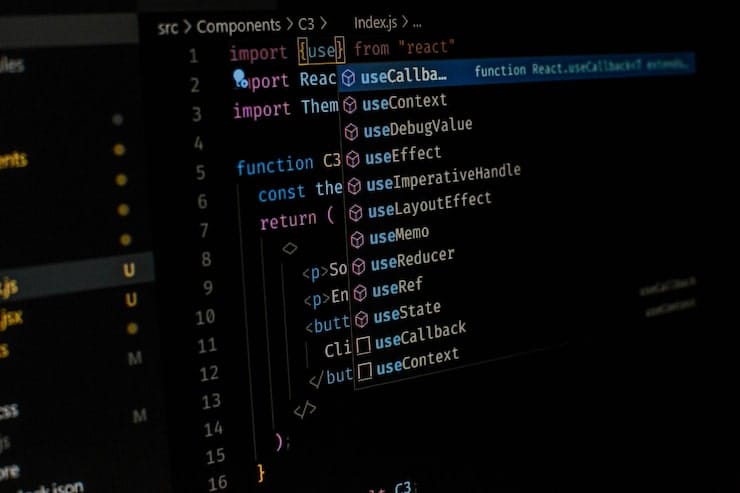
Continue: The Model-Agnostic Alternative for Teams
Continue is the open-source tool that has quietly become the default recommendation for engineering teams building on open-source models. Continue has emerged as one of the most popular open-source coding assistants, with over 20,000 GitHub stars. What makes it stand out is its model-agnostic architecture — you can connect it to any LLM, whether a local model like Llama or Mistral, or cloud providers like OpenAI and Anthropic. This flexibility lets teams start with cloud models and migrate to self-hosted options as their needs evolve.
For teams using Ollama with locally-running models, Continue provides a proper IDE integration layer that turns raw local inference into a usable coding assistant experience — without sending any code to external servers. This is the path for developers whose employers have blocked cloud AI tools, or those working on sensitive codebases where the data never leaves local infrastructure.
What This Means
The free tier landscape in 2026 is genuinely more useful than most developers expect. The practical framework for choosing:
If you're a student: Claim GitHub Copilot Student via GitHub Education — unlimited completions, access to premium models, no cost. This is the most straightforwardly valuable offer in the market.
If you're on Google Cloud or Firebase: Start with Gemini Code Assist. More generous limits than Copilot Free, good model quality, and meaningful ecosystem context for GCP work.
If you're building on AWS: Amazon Q Developer free tier. The AWS-specific training pays dividends in suggestion quality for IAM, Lambda, and CloudFormation patterns.
If you're a power user who wants no limits and is comfortable with API keys: Cline with your own Claude or OpenAI API key. You get paid-tool capability at usage-based costs, often cheaper than a subscription if you code with AI intermittently.
The best approach for most developers: start with GitHub Copilot Free to learn AI-assisted coding. When you hit limits, try Continue or Cline with a cheap API. If you eventually spend more time fighting free-tier limits than writing code, that is when a paid subscription pays for itself.
The upgrade signal is worth knowing: you've genuinely outgrown free tools when you find yourself mid-sprint, hitting a limit wall, and mentally calculating whether it's faster to wait until tomorrow or just pay. That friction has a real productivity cost. Until you hit it consistently, the free options are more than enough.